2020年9月24日 星期四

week 2. repeat

Jacquard loom (1801)


charles babbage analytical engine


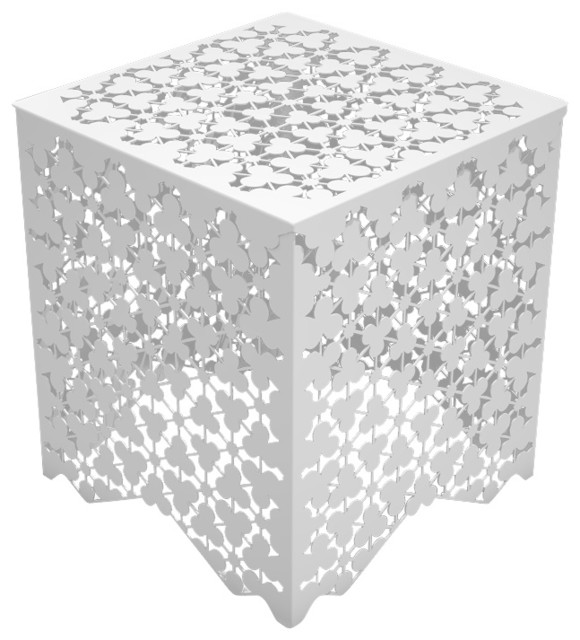
Arktura Ricami Stool


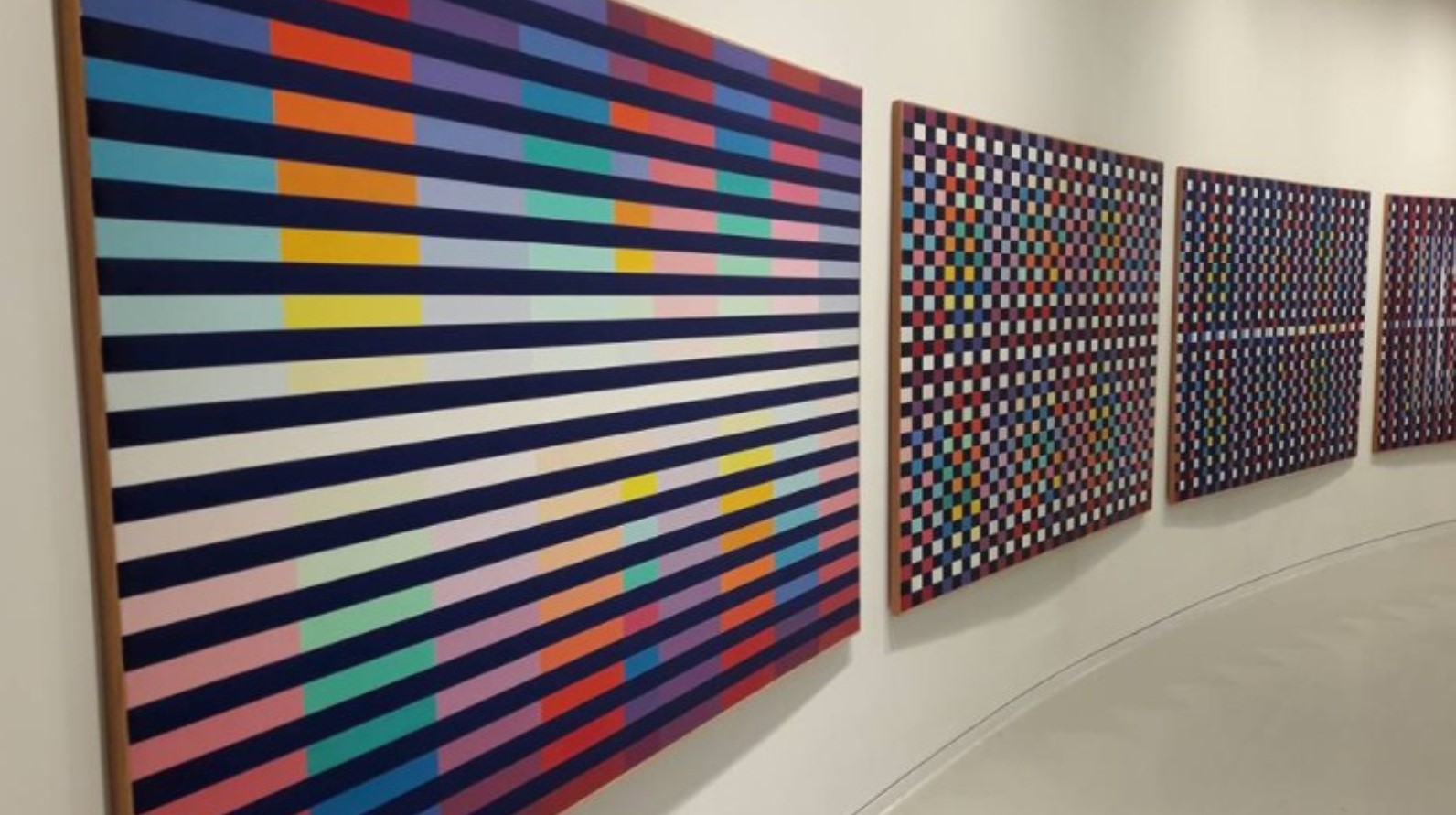
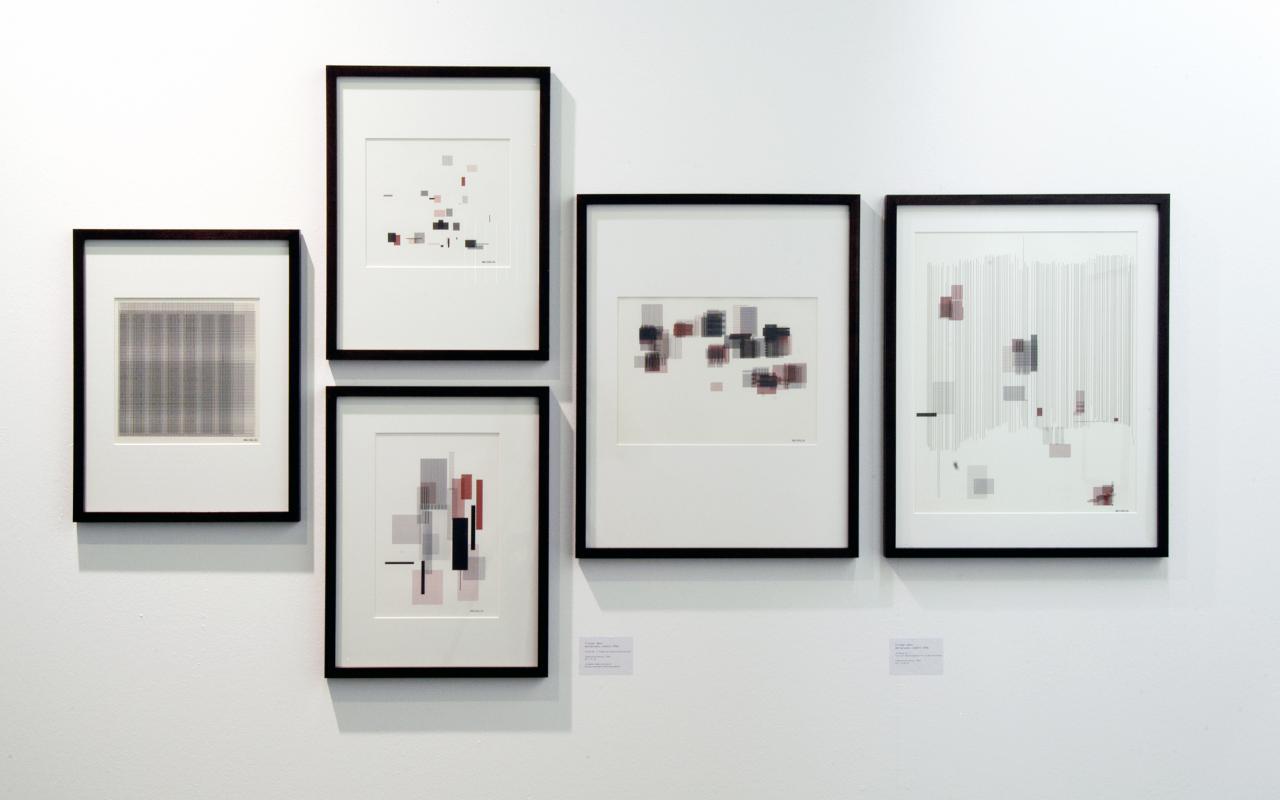
Bridget Riley


Yaacov Agam


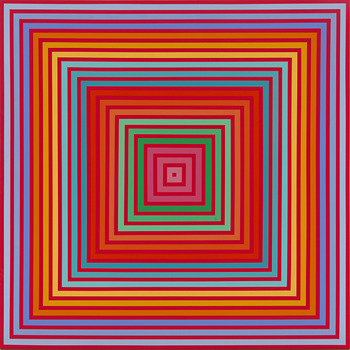
Richard Anuszkiewicz


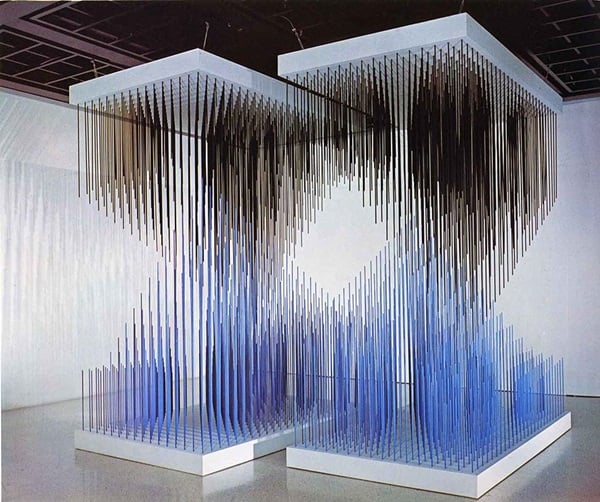
Jesus Rafael Soto


Victor Vasarely


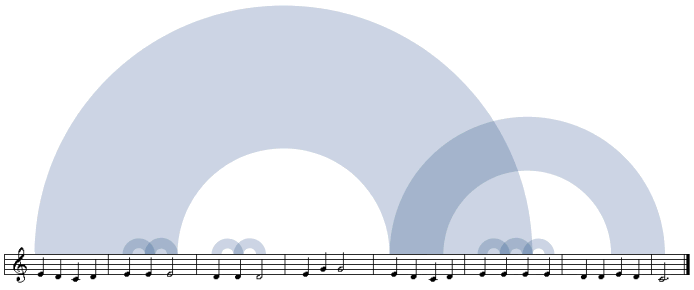
Martin Wattenberg, Shape of Song, 2002


http://turbulence.org/Works/song/method/method.html


Turbulence.org Commission: "The Shape of Song" by Martin Wattenberg v1 (2001) from Turbulence.org on Vimeo.

Modell 5 - Granular Synthesis


PSC 31, Mark Wilson


Frieder Nake

http://dada.compart-bremen.de/item/agent/68


Vera Molnar


https://www.surfacemag.com/articles/vera-molnar-in-thinking-machines-at-moma/

https://www.openprocessing.org/browse/?q=Vera+Molnar&time=anytime&type=all#

Manfred Mohr

https://www.emohr.com/


CODE Tutorials:

  • Structure


  • Statements and Comments
  • Coordinates
  • Width and Height
  • Setup and Draw
  • No Loop
  • Loop
  • Redraw
  • Functions
  • Recursion

  • Homework:
    1. 找一位 code artist 的作品,參考:

    Computer Artists in Database of Digital Art

    2. 搜尋這位 artist 的所有相關作品
     
    3. 如何以手繪,以及 code 來重現?


    2020年9月18日 星期五

    2018年12月20日 星期四

    week 15. self portrait

    http://shanear.com/artworks/typoportrait

    Typo Portraits

    pointillism portraits

    cubist portrait

    Question:
     How to generate "typo portraits"?

    self portrait in particles


    Example 1:

    PImage img;
    int smallPoint, largePoint;
    PFont f;
    float threshold = 80;

    void setup() {
    size(736, 736);
    img = loadImage("portrait.jpg");
    smallPoint = 2;
    largePoint = 30;
    imageMode(CENTER);
    noStroke();
    background(255);

    // Create the font
    printArray(PFont.list());
    f = createFont("Georgia", 9);
    textFont(f);
    textAlign(CENTER, CENTER);

    }

    void draw() {
    float value;
    color pix;
    // if (mousePressed == true) {
    background(80);
    int counter = 0;
    char letter;

    float pointillize = map(mouseX, 0, width, smallPoint, largePoint);
    float threshold = map(mouseY, 0, height, 0, 255);
    for (int x = 0; x < img.width; x+=pointillize) {
    for (int y = 0; y < img.height; y+=pointillize){
    pix = img.get(x, y);
    value = brightness(pix);
    if (value > threshold)
    fill(0, 255, 0);
    else fill(0);
    //ellipse(x, y, 5, 5);
    counter = int(random(66, 123));
    letter = char (counter);
    text(letter, x, y);


    }
    }
    // }

    }


    Example 2:

    /**
    * Pointillism
    * by Daniel Shiffman.
    *
    * Mouse horizontal location controls size of dots.
    * Creates a simple pointillist effect using ellipses colored
    * according to pixels in an image.
    */

    // The next line is needed if running in JavaScript Mode with Processing.js
    /* @pjs preload="moonwalk.jpg"; */

    PImage img;
    int smallPoint, largePoint;

    void setup() {
    size(736, 736);
    img = loadImage("portrait.jpg");
    smallPoint = 4;
    largePoint = 40;
    imageMode(CENTER);
    noStroke();
    background(255);
    }

    void draw() {
    float pointillize = map(mouseX, 0, width, smallPoint, largePoint);
    int x = int(random(img.width));
    int y = int(random(img.height));
    int xWidth = int(random(10, 200));
    int yHeight = int(random(10, 200));
    int xShift = int(random(-20, +20));
    int yShift = int(random(-20, +20));
    for (int i = 0; i< xWidth; i++) {
    for (int j = 0; j< yHeight; j++) {
    color pix = img.get(x+i, y+j);
    stroke(pix);
     //ellipse(xShift+x+i, yShift+y+j, pointillize, pointillize);
    point(xShift+x+i, yShift+y+j);
    }
    }
    }


    Example 3:

    float resolution;
    float radius = 100;
    float circleX;
    float circleY;
    float circles;
    float circleW;
    float circleH;
    float offset;
    PImage img;


    void setup() {
      size(736, 736);
      circleX = 0;
      circleY = 0;
      background(0);
      img = loadImage("portrait.jpg");
    }

    void draw() {
      float value;
      color pix;

      fill(0,0,0,25);
    //  rect(0,0,width,height);
      translate(width/2, height/2);
      fill(255);
      noStroke();
      offset++;

      resolution = map(sin(offset*0.00025), -1, 1, 5, 50);
      //resolution = 50;
      circles = 200;

      circleW = map(sin(offset*0.05), -1, 1, 1, 10);
      circleH = map(sin(offset*0.05), -1, 1, 1, 10);

      for (int i = 0; i < resolution; i++) {

        float scale = 200;

        float waveAngle = map(i, 0, resolution, 0, TWO_PI * circles);
        float waveOffset = sin(waveAngle) * scale*1.2;  //scale the -1 to 1 up

        float angle = map(i, 0, resolution, 0, TWO_PI * 331); //multiply for weirdness

        float circleOffsetX = cos(angle) * (radius + waveOffset); //xposition
        float circleOffsetY = sin(angle) * (radius + waveOffset); //yposition

        float x = circleX + circleOffsetX;
        float y = circleY + circleOffsetY;

        pix = img.get(int(x+width/2), int(y+height/2));
        value = brightness(pix);
        fill(0, green(pix), blue(pix));
        ellipse(x, y, circleW, circleH);

      }

    }


    Final Project:
    Self Portrait Demo:
    最少三種
    例如,Andy Warhol 風格,字型風格,拼貼風格,動態曼陀羅風格,...

    Jan. 3, 2019
    2018年12月6日 星期四

    week 13. Project 2 demo & Object-Oriented Programming

    1. Mandala Project Demo

    Project reference:
    http://sciencefictioninterfaces.tumblr.com/

    2. object oriented programming:
      https://processing.org/tutorials/objects/
      https://www.youtube.com/watch?v=YcbcfkLzgvs


    EXercise:
      draw 'array-like' object with OOP

    2018年11月23日 星期五

    week 12, mandala drawing II

    example 1:

    float cX;
    float cY;
    int nSegment = 24;

    void setup() {

    size(600, 600);
    cX = width/2.0;
    cY = height/2.0;
    stroke(200);
    noFill();

    }

    void draw() {
    float x;
    float y;
    float angle;
    float r = 200.0;

    background(0);

    for (int i= 0; i < nSegment; i++) {
    angle = i*(PI*2.0)/nSegment;
    x = cX+ r*cos(angle);
    y = cY+ r*sin(angle);

    pushMatrix();
    translate(x, y);
    rotate(angle);
    ellipse(0, 0, 40, 20);
    popMatrix();

    }

    }


    example 2:

    structured :

    float cX;

    float cY;

    void setup() {

    size(600, 600);
    cX = width/2.0;
    cY = height/2.0;
    stroke(200);
    noFill();
    noLoop();

    }

    void draw() {

    background(0);
    for (int i= 0; i< 4; i++)
    drawLayer();

    }

    void drawLayer() {
    float x;
    float y;
    float angle;
    float r = 200.0;
    int nSegment = 24;

    r = random (60, 260);
    nSegment = (int) random (8, 36);

    for (int i= 0; i < nSegment; i++) {
    angle = i*(PI*2.0)/nSegment;
    x = cX+ r*cos(angle);
    y = cY+ r*sin(angle);

    pushMatrix();
    translate(x, y);
    rotate(angle);
    ellipse(0, 0, 60, 30);
    popMatrix();

    }

    }


    example 3:
     array:

    float cX;
    float cY;


    int nLayer = 30;
    float[] r;
    int[] nSegment;
    int[] brightness;
    float[] rotateRate;

    void setup() {

    size(600, 600);
    cX = width/2.0;
    cY = height/2.0;

    r = new float[nLayer];
    nSegment = new int[nLayer];
    brightness = new int[nLayer];
    rotateRate = new float[nLayer];

    for (int i = 0; i< nLayer; i++) {
    r[i] = random(60, 260);
    nSegment[i] = (int) random(6, 60);
    brightness[i] = (int) random(10, 255);
    rotateRate[i] = random(-100.0, 100.0);

    }

    stroke(200);
    noFill();
    // noLoop();

    }

    void draw() {

    background(0);
    for (int i= 0; i< nLayer; i++)
    drawLayer(i);

    }

    void drawLayer(int nth) {
    float x;
    float y;
    float angle;

    stroke(brightness[nth], brightness[nth], 100);
    for (int i= 0; i < nSegment[nth]; i++) {
    angle = i*(PI*2.0)/nSegment[nth];
    x = cX+ r[nth]*cos(angle);
    y = cY+ r[nth]*sin(angle);

    pushMatrix();
    translate(x, y);
    rotate(angle +frameCount/rotateRate[nth]);
    ellipse(0, 0, 60, 30);
    popMatrix();

    }

    }


    example 4:
    centered rotate:

    float cX;
    float cY;


    int nLayer = 30;
    float[] r;
    int[] nSegment;
    int[] brightness;
    float[] rotateRate;

    void setup() {

    size(600, 600);
    cX = width/2.0;
    cY = height/2.0;

    r = new float[nLayer];
    nSegment = new int[nLayer];
    brightness = new int[nLayer];
    rotateRate = new float[nLayer];

    for (int i = 0; i< nLayer; i++) {
    r[i] = random(20, 260);
    nSegment[i] = (int) random(6, 60);
    brightness[i] = (int) random(10, 255);
    rotateRate[i] = random(-100.0, 100.0);

    }

    stroke(200);
    noFill();
    // noLoop();

    }

    void draw() {

    background(0);
    translate(cX, cY);
    rotate(frameCount/150.0);
    for (int i= 0; i< nLayer; i++)
    drawLayer(i);

    }

    void drawLayer(int nth) {
    float x;
    float y;
    float angle;

    stroke(brightness[nth], brightness[nth], 100);
    fill(0, brightness[nth], brightness[nth], 25);
    for (int i= 0; i < nSegment[nth]; i++) {
    angle = i*(PI*2.0)/nSegment[nth];
    x = r[nth]*cos(angle);
    y = r[nth]*sin(angle);

    pushMatrix();
    translate(x, y);
    rotate(angle +frameCount/rotateRate[nth]);
    ellipse(0, 0, 60, 30);
    popMatrix();

    }
    }

    example 5:

    float cX;
    float cY;


    int nLayer = 30;
    float[] r;
    int[] nSegment;
    int[] brightness;
    float[] rotateRate;

    void setup() {

    size(600, 600);
    cX = width/2.0;
    cY = height/2.0;

    r = new float[nLayer];
    nSegment = new int[nLayer];
    brightness = new int[nLayer];
    rotateRate = new float[nLayer];

    for (int i = 0; i< nLayer; i++) {
    r[i] = random(10, 300);
    nSegment[i] = (int) random(6, 60);
    brightness[i] = (int) random(10, 255);
    rotateRate[i] = random(-100.0, 100.0);

    }

    stroke(200);
    noFill();
    // noLoop();

    }

    void draw() {

    background(0);
    translate(cX, cY);
    rotate(frameCount/map(sin(frameCount/60.0), -1.0, 1.0, -100.0, 100.0));
    for (int i= 0; i< nLayer; i++)
    drawLayer(i);

    }

    void drawLayer(int nth) {
    float x;
    float y;
    float angle;

    stroke(brightness[nth], brightness[nth], 100);
    fill(0, brightness[nth], brightness[nth], 25);
    for (int i= 0; i < nSegment[nth]; i++) {
    angle = i*(PI*2.0)/nSegment[nth];
    x = r[nth]*cos(angle);
    y = r[nth]*sin(angle);

    pushMatrix();
    translate(x, y);
    rotate(angle +frameCount/rotateRate[nth]);
    ellipse(0, 0, 60, 30);
    //rect(-10, -10, 20, 20);

    popMatrix();

    }
    } 

    2018年11月22日 星期四

    week 11. drawing mandala


    Basic sample 1:


    float resolution;
    float radius = 100;
    float circleX;
    float circleY;
    float offset;

    void setup() {
      size(700, 700);
      circleX = 0;
      circleY = 0;
    }

    void draw() {
      fill(0,0,0,25);
      rect(0,0,width,height);
      translate(width/2, height/2);
      fill(255);
      noStroke();
      offset++;

      resolution = map(sin(offset*0.005), -1, 1, 2, 20);
     // resolution = 20;


      for (int i = 0; i < resolution; i++) {
        float angle = map(i, 0, resolution, 0, TWO_PI);
    //    float waveOffset = sin(angle*circles) * 200;


       float circleOffsetX = cos(angle) * (radius); //xposition
       float circleOffsetY = sin(angle) * (radius); //yposition
      //  float circleOffsetX = cos(angle) * (radius + waveOffset); //xposition
      //  float circleOffsetY = sin(angle) * (radius + waveOffset); //yposition
     

        float x = circleX + circleOffsetX;
        float y = circleY + circleOffsetY;
     
        ellipse(x, y, 10, 10);
     

      }
    }

    Sample 2:

    float resolution;
    float radius = 100;
    float circleX;
    float circleY;
    float circles;
    float circleW;
    float circleH;
    float offset;

    void setup() {
      size(700, 700);
      circleX = 0;
      circleY = 0;
    }

    void draw() {
      fill(0,0,0,25);
      rect(0,0,width,height);
      translate(width/2, height/2);
      fill(255);
      noStroke();
      offset++;

      resolution = map(sin(offset*0.00025), -1, 1, 11, 13);
      //resolution = 50;
      circles = 400;

      circleW = map(sin(offset*0.05), -1, 1, 1, 8);
      circleH = map(sin(offset*0.05), -1, 1, 1, 8);

      for (int i = 0; i < resolution; i++) {

        float scale = 200;

        float waveAngle = map(i, 0, resolution, 0, TWO_PI * circles);
        float waveOffset = sin(waveAngle) * scale;  //scale the -1 to 1 up

        float angle = map(i, 0, resolution, 0, TWO_PI * 156); //multiply for weirdness

        float circleOffsetX = cos(angle) * (radius + waveOffset); //xposition
        float circleOffsetY = sin(angle) * (radius + waveOffset); //yposition

        float x = circleX + circleOffsetX;
        float y = circleY + circleOffsetY;
     
        ellipse(x, y, circleW, circleH);

      }

    }

    example 3:


    float resolution;
    float radius = 100;
    float circleX;
    float circleY;
    float circles;
    float offset;

    void setup() {
      size(700, 700);
      circleX = 0;
      circleY = 0;
    }

    void draw() {
      fill(0,0,0,25);
      rect(0,0,width,height);
      translate(width/2, height/2);
      fill(255, 255, 0);
      noStroke();
      offset++;

      resolution = map(cos(offset*0.0002), -1, 1, 2, 200);
      circles = 100;


    beginShape();
    noFill();
      for (int i = 0; i < resolution; i++) {

        float scale = 400;

        float waveAngle = map(i, 0, resolution, 0, TWO_PI * circles);
        float waveOffset = sin(waveAngle) * scale;  //scale the -1 to 1 up

        float angle = map(i, 0, resolution, 0, TWO_PI * 156); //multiply for weirdness
     

        float circleOffsetX = cos(angle) * (radius + waveOffset); //xposition
        float circleOffsetY = sin(angle) * (radius + waveOffset); //yposition

        float x = circleX + circleOffsetX;
        float y = circleY + circleOffsetY;
     
        stroke(255);
        //line(x, y, 0, 0);
        vertex(x,y);
     

      }
      endShape(CLOSE);

    }

    reference:
    search "mandala" on
    https://www.openprocessing.org/